🧩 Regex Visual Debugger
Full Feature Demo
Complete Workflow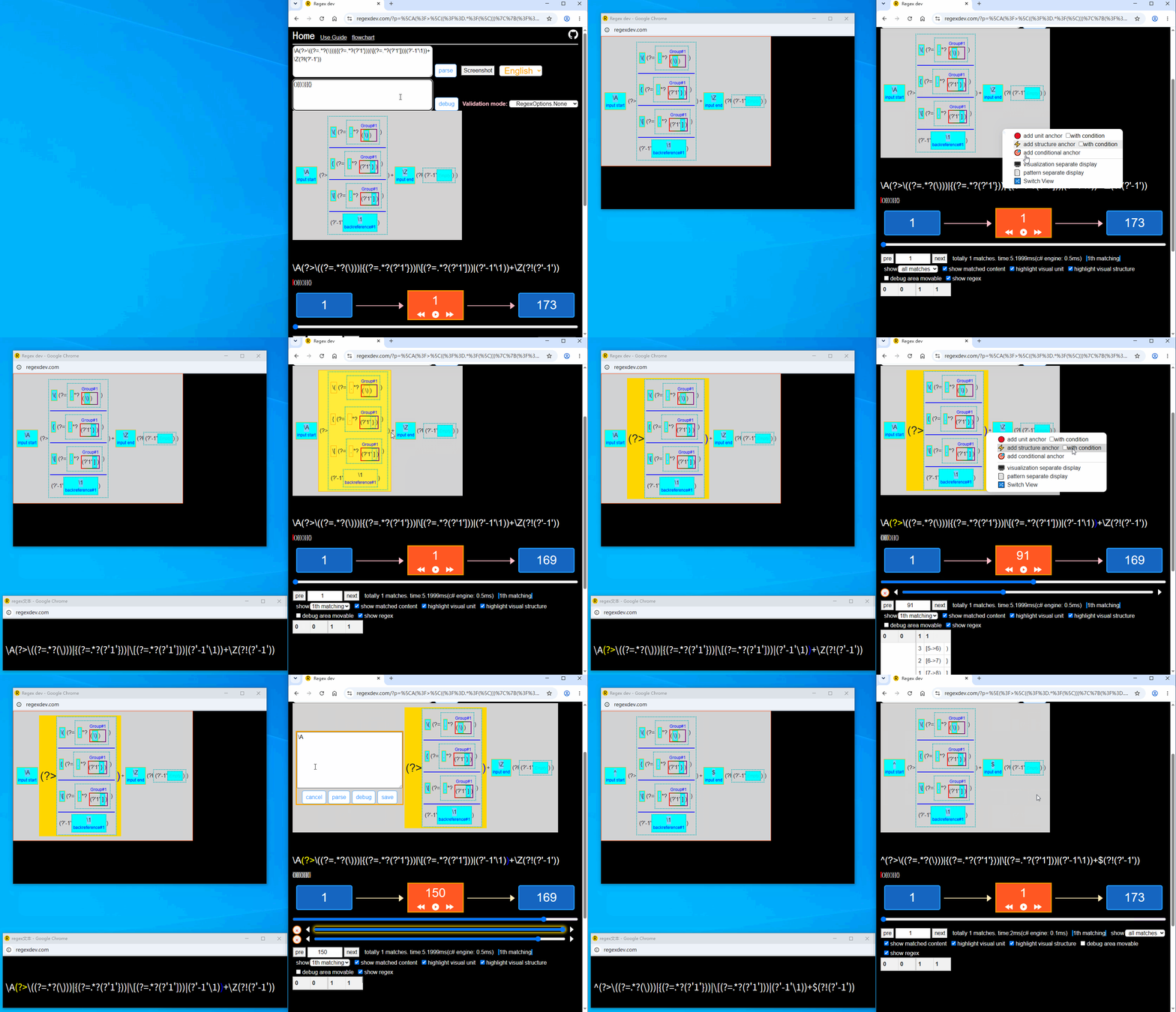
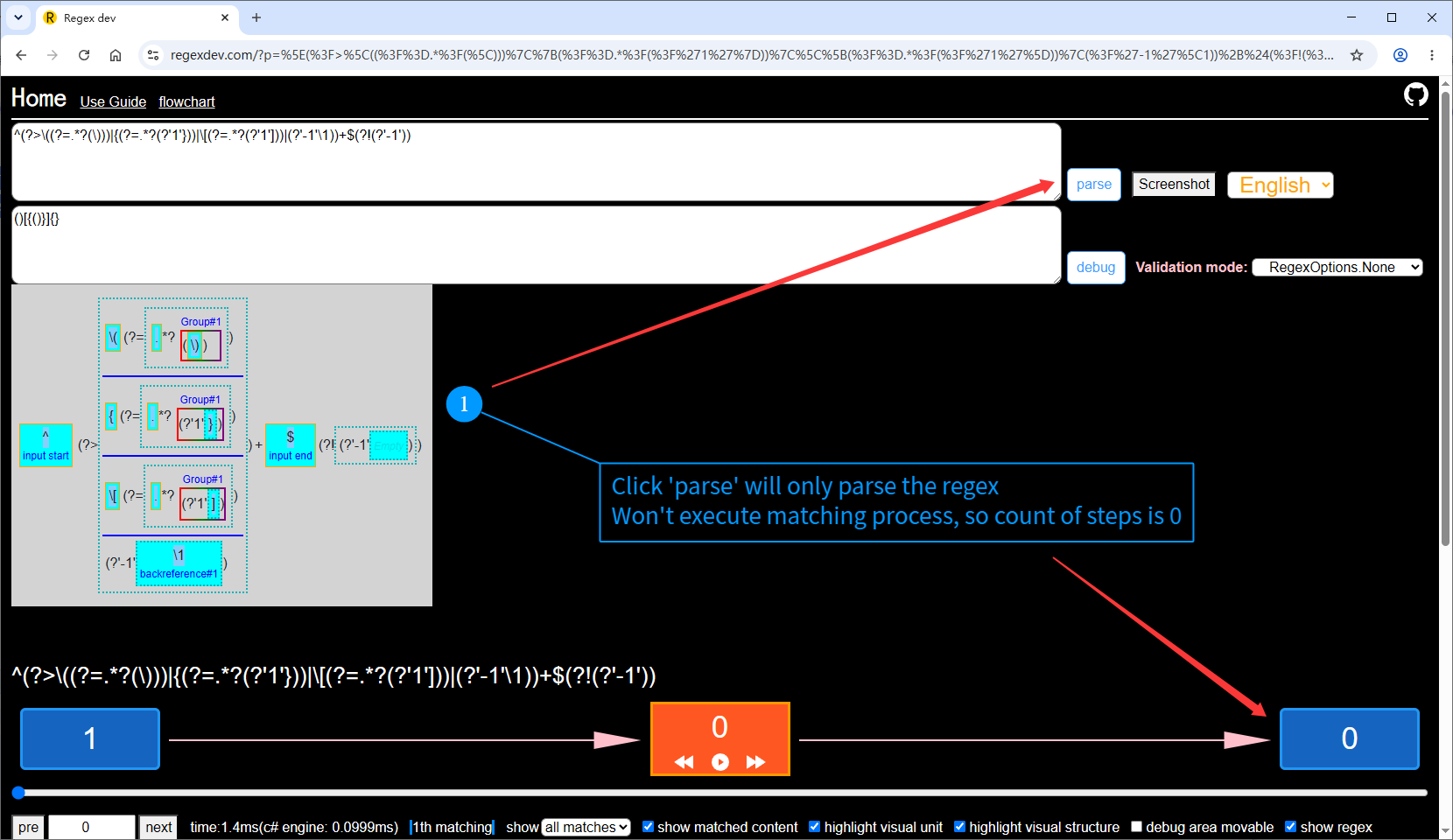
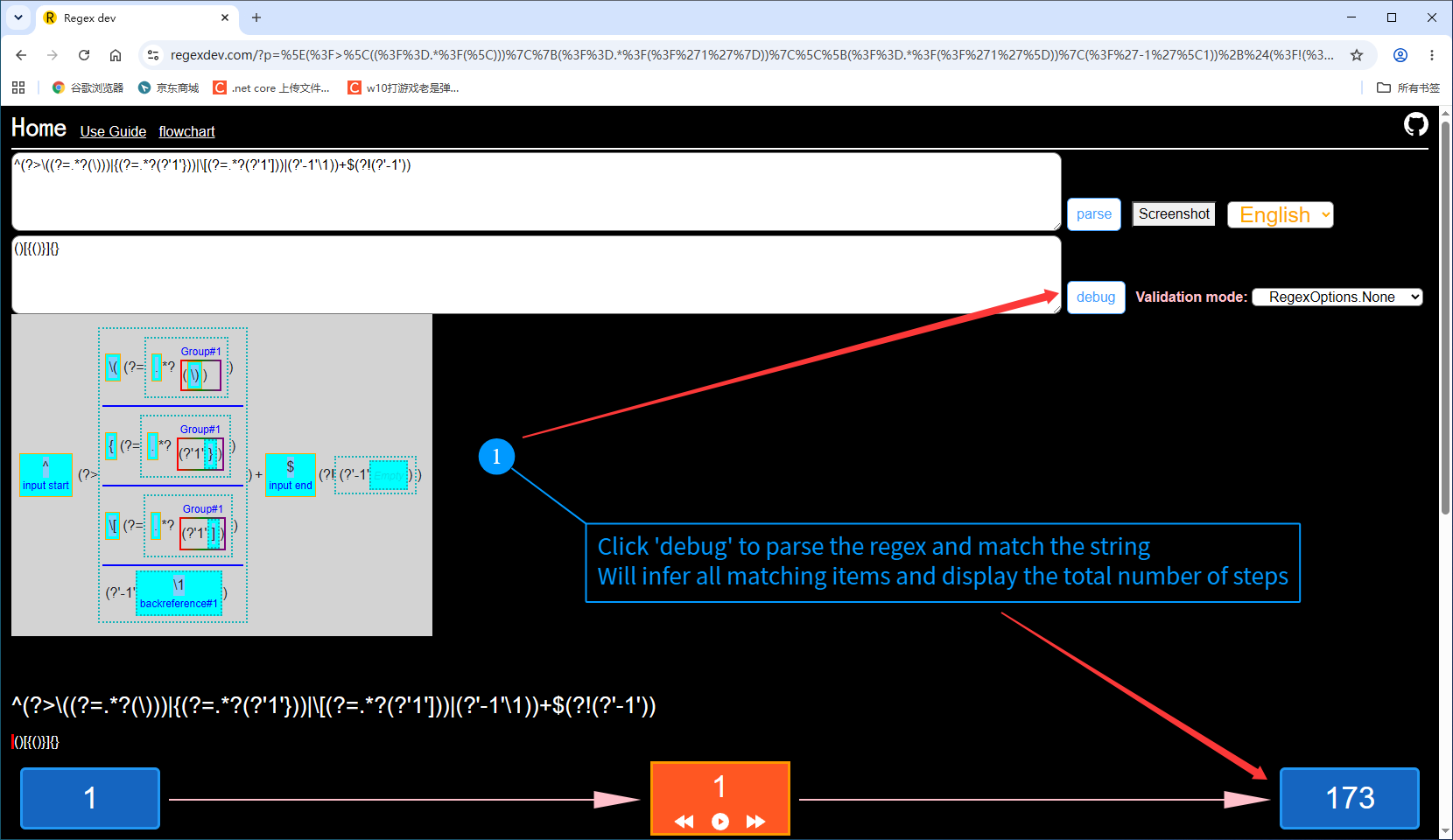
Screenshots
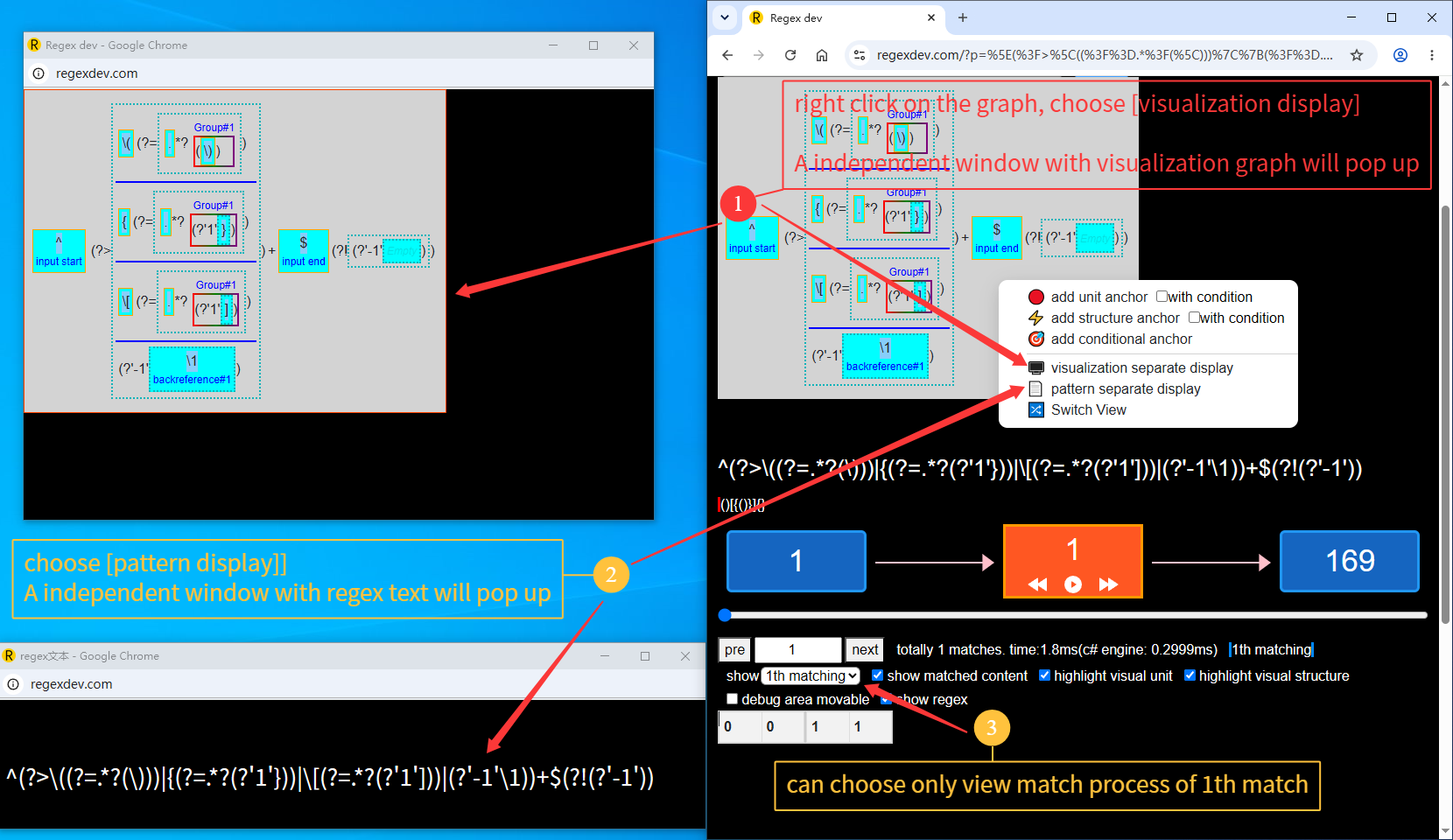
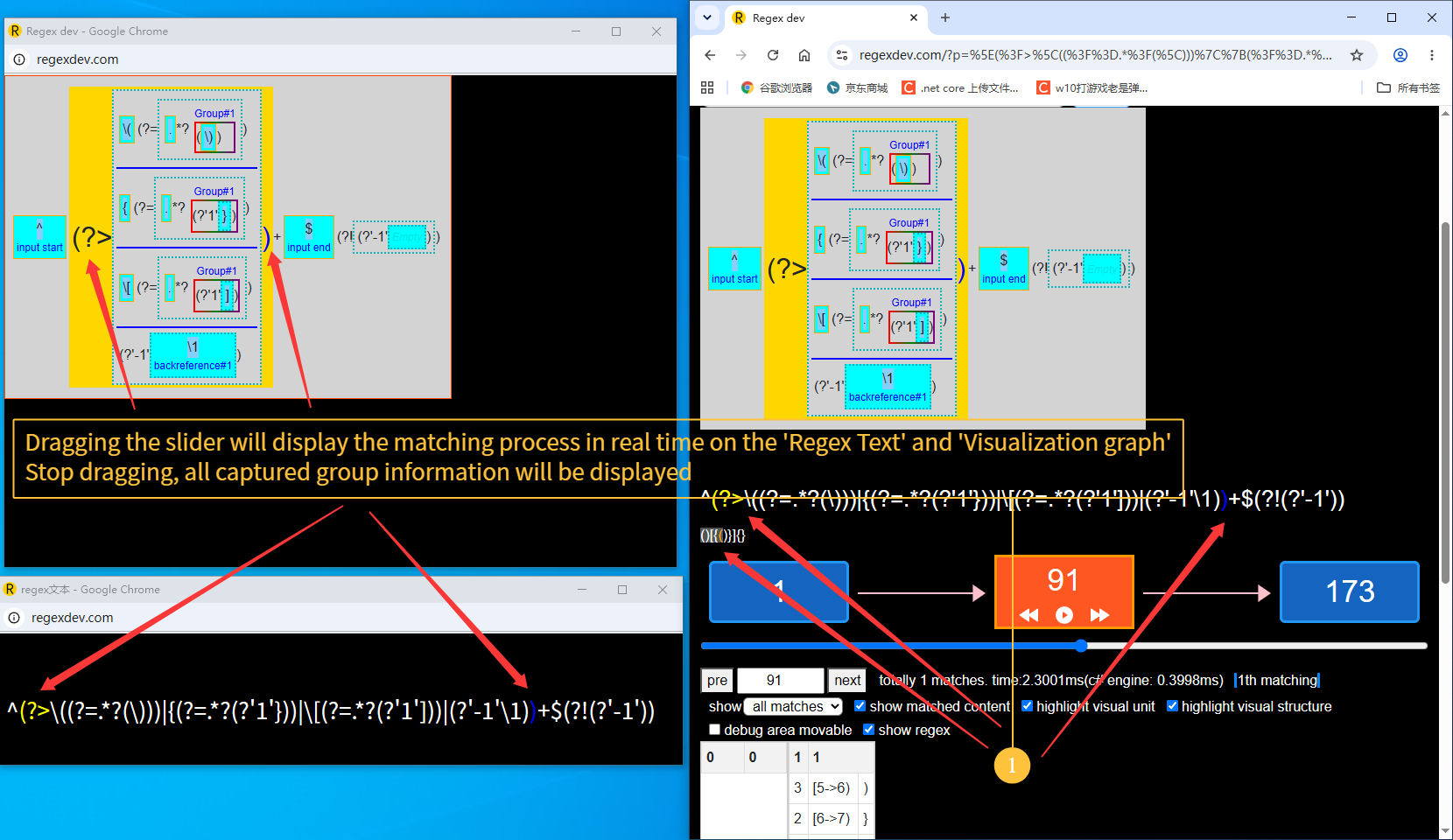
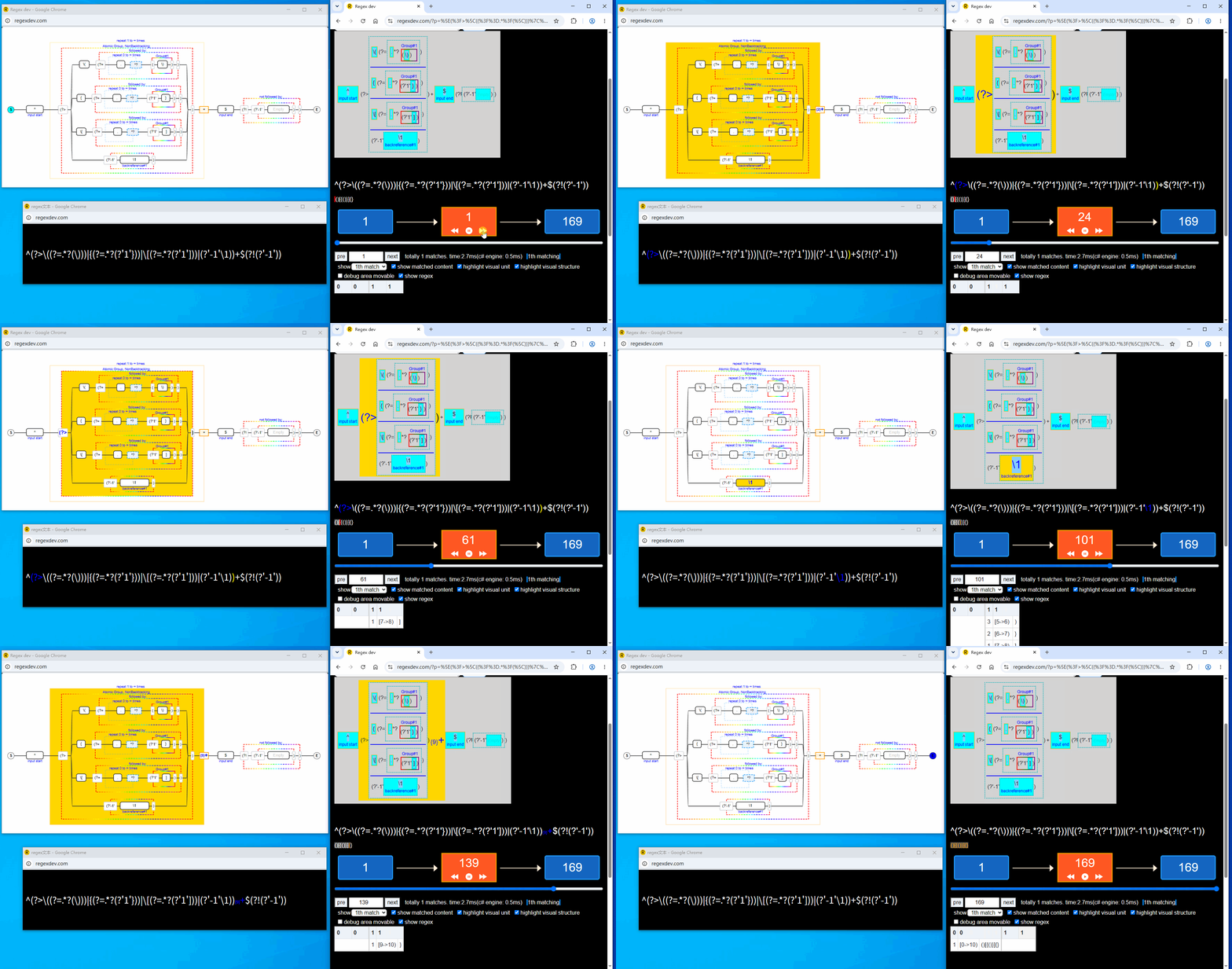
Multi‑Screen Debugging
Right‑click on the visualization to open the context menu, then click 「Visualization Solo」 and 「Pattern Solo」 to open new windows that display the visualization graph and the regex text separately, making it easier to debug complex regular expressions.
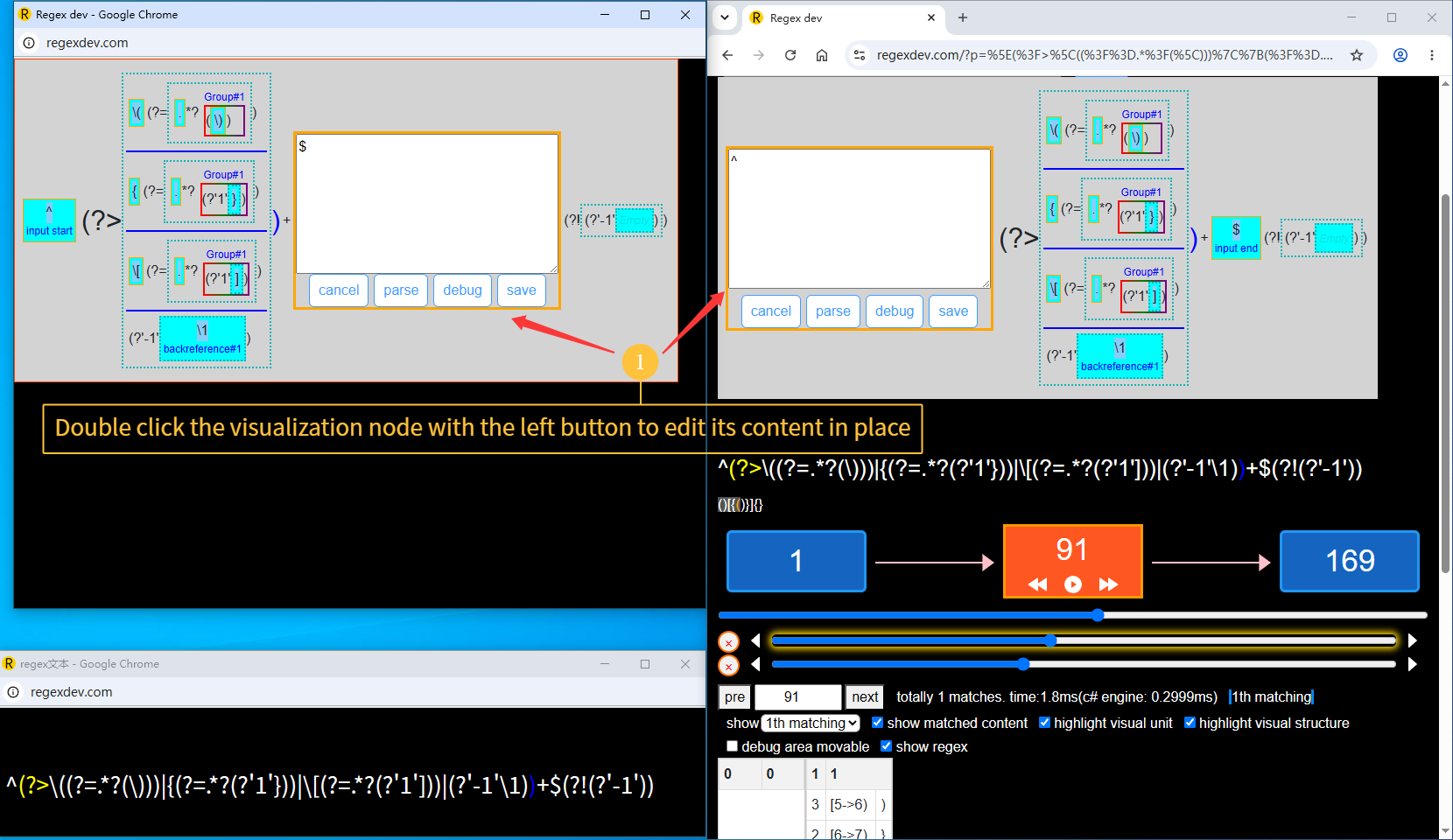
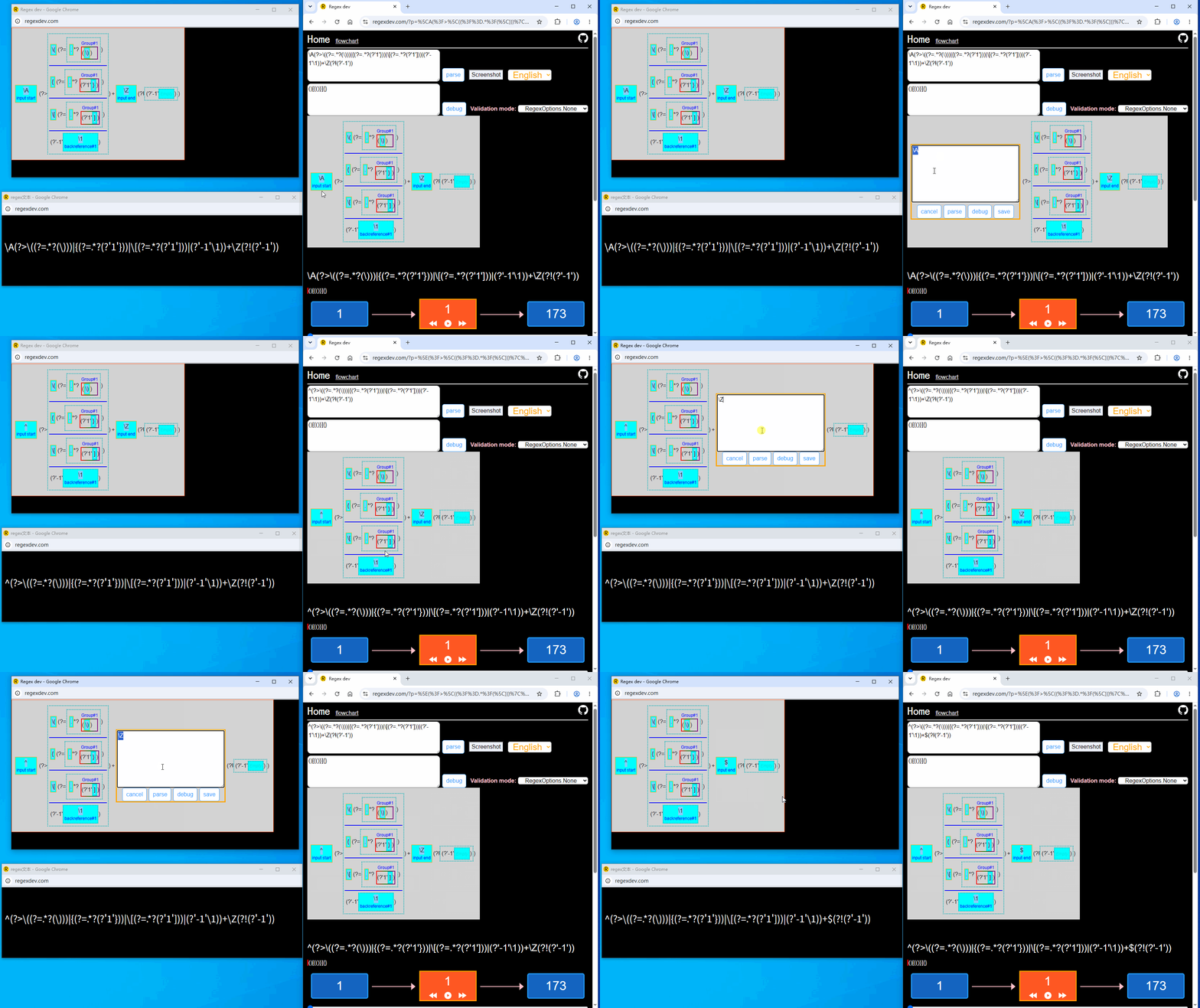
In‑Place Editing
Double‑click on any node in the visualization graph to edit its content directly — the corresponding part of the regular expression is updated instantly.
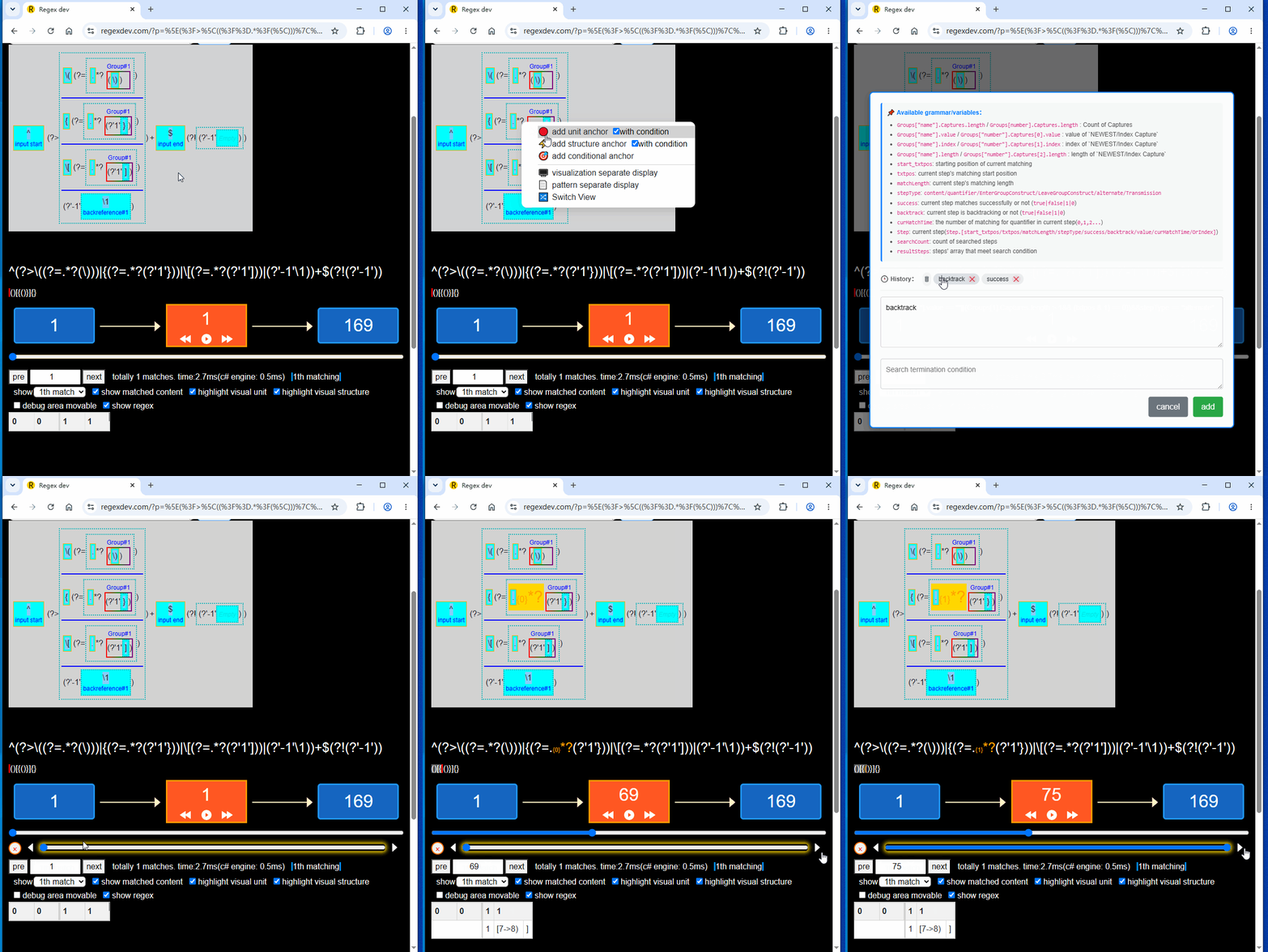
Breakpoints · Conditional
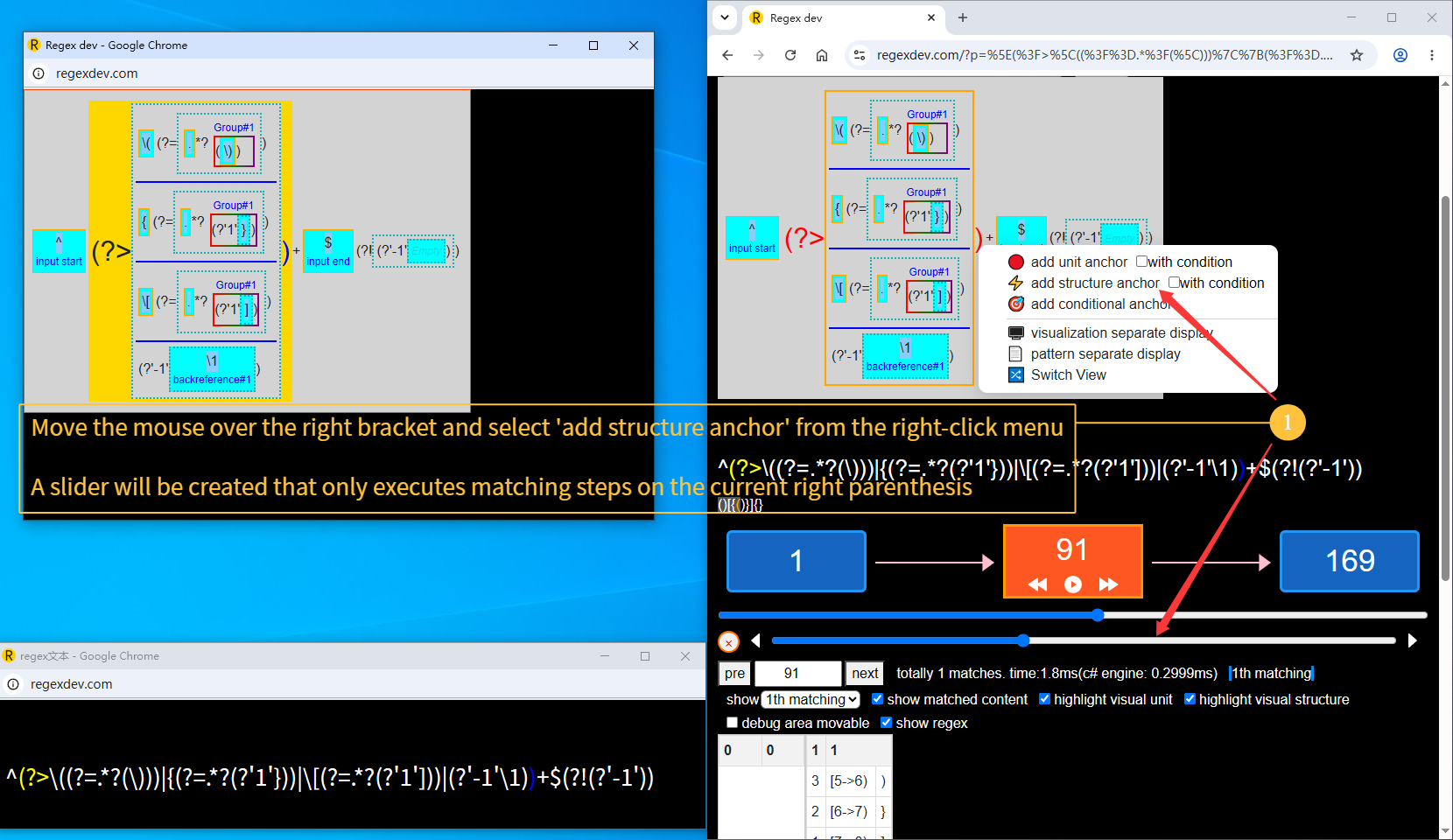
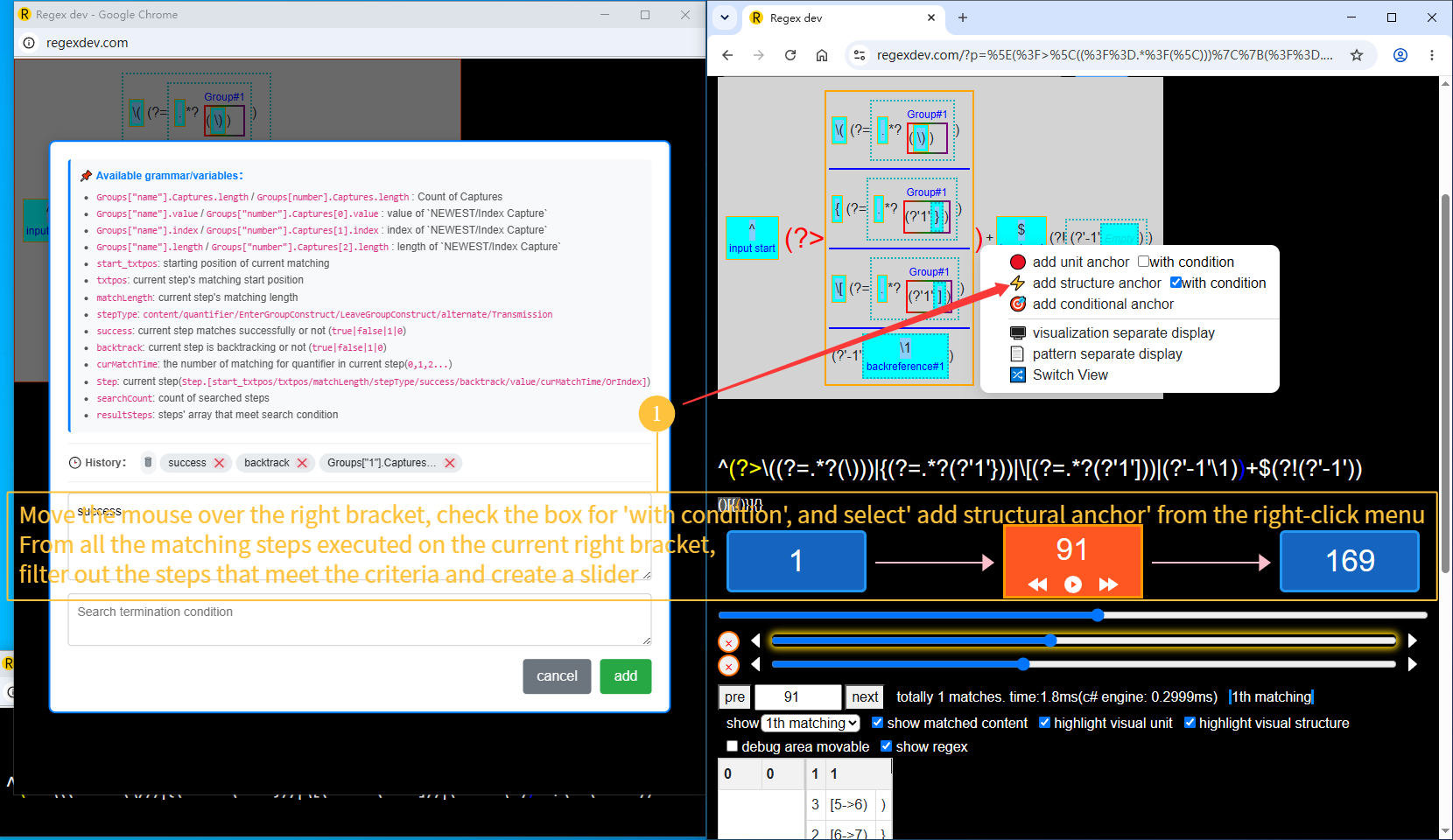
Right‑click on the visualization to open the context menu, then click 「Anchor」 to add anchor sliders that match specific conditions.
- Unit Anchor — selects all steps of the corresponding unit
-
Structure Anchor —
selects all steps of the corresponding structure
(for group constructs like
(?=), left and right parentheses belong to the same unit; choosing different structures can distinguish them) - Anchor — filters steps that match the condition across all steps
全功能演示_en.gif ,
多屏调试演示_en.gif ,
编辑演示_en.gif ,
条件断点演示_en.gif
and 1_en.png ~ 7_en.png
in the same folder as this HTML file.